

A network that works, and stays working
Most small-office network problems come down to the same few things: one consumer router trying to cover a whole suite, a network that grew by accident over the years, no separation between staff, guests and devices, and nobody who knows what is plugged into what.
Our business network installation service fixes that. We design, install and document the network your business runs on: the firewall, switches, Wi-Fi and the wiring behind them. It is built for offices, shops and small teams, from a five-person suite to a multi-site business. It is for businesses only: we do not install or fix home Wi-Fi or residential networks. If you run your business from a home office, we can help with the business side of it.
What we set up
- Business Wi-Fi. Access points placed for real coverage, with enough capacity for laptops, phones, printers and everything else that connects. We fix dead spots and slow connections, and we separate staff and guest Wi-Fi.
- Firewall. A business-grade firewall with a secure configuration, current firmware and sensible rules, not a consumer router with default settings.
- Switching and wired drops. Enough ports in the right places for desks, printers, phones and equipment.
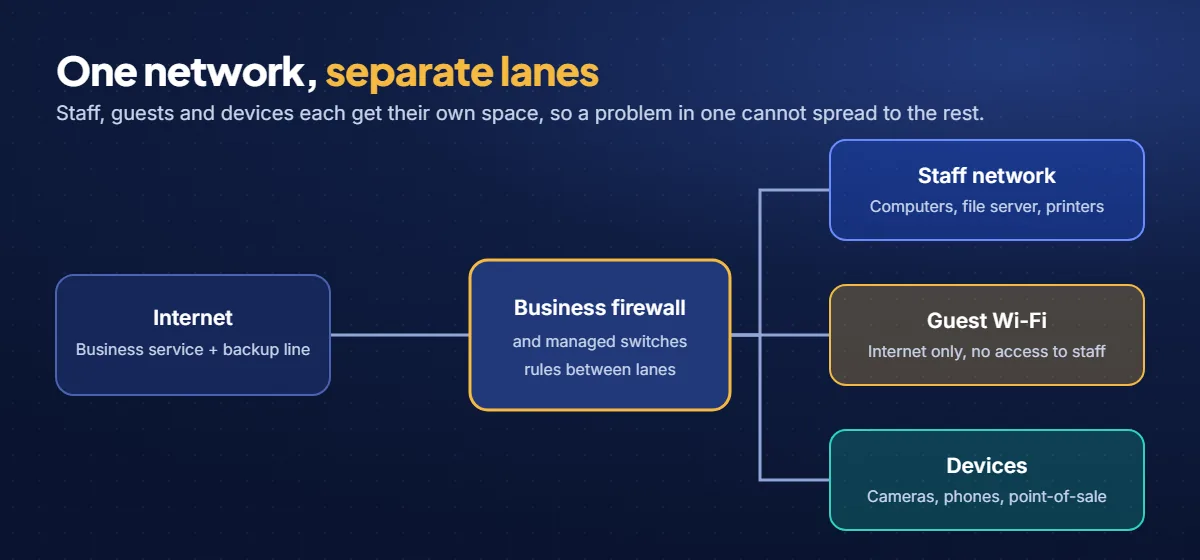
- Separate networks. Staff, guests, and devices such as cameras, phones and point-of-sale systems kept apart, so a problem in one place does not spread to the rest.
- Internet service. Help checking, choosing and ordering the right connection and, where it makes sense, a backup connection so a single outage does not stop work.
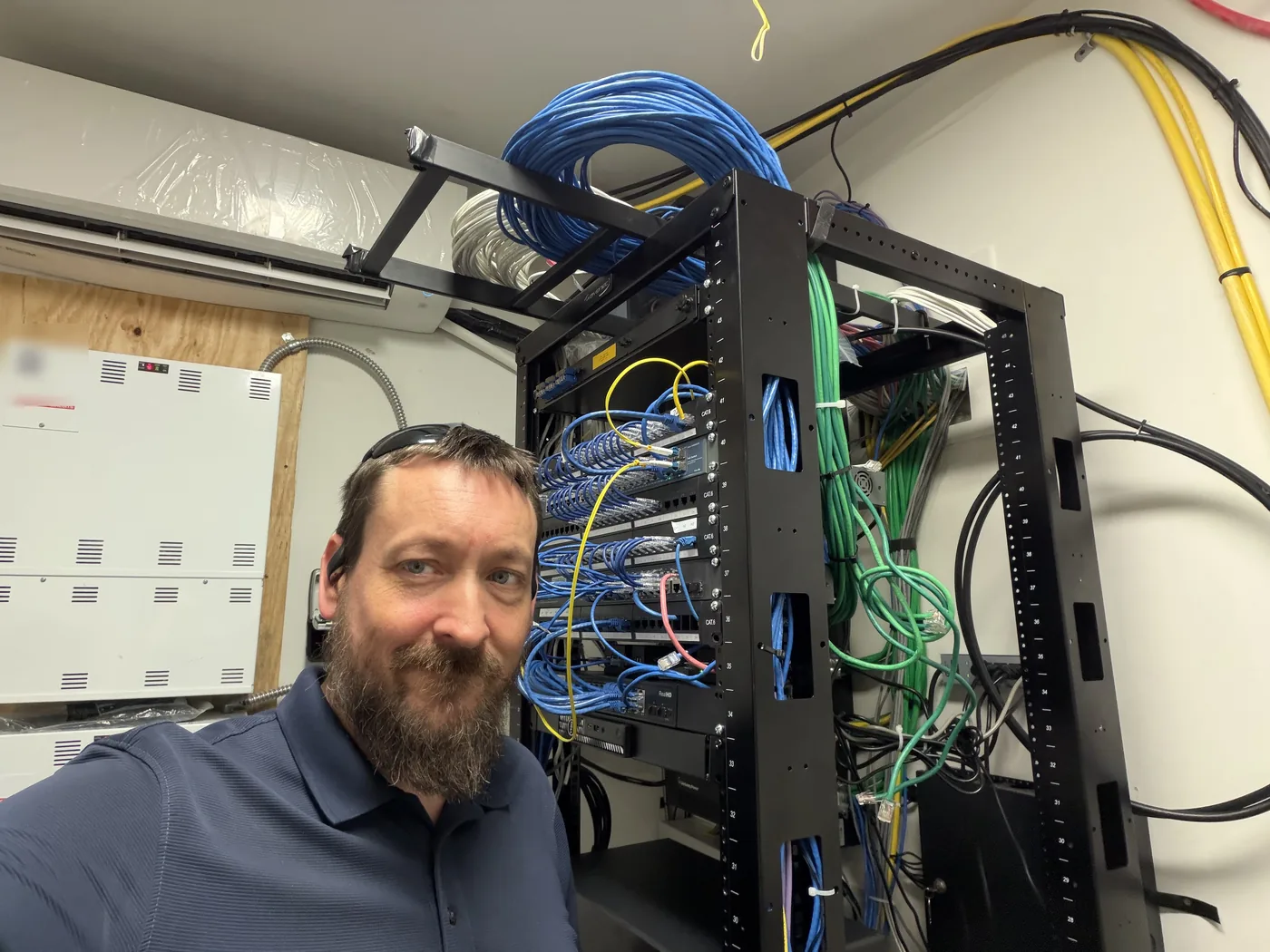
- Network cabling. In business offices with drop ceilings, we run the network cable ourselves. In buildings without drop ceilings, we plan what is needed and coordinate with your electrician or cabling contractor so the finished job matches the plan.
- Documentation. A network diagram, an equipment list and a record of settings, so the next change is quick and anyone can pick it up.
Three ways to work with us
Some owners like a monthly plan, and some would rather pay once and be done. We offer both, and everything in between:
- One-time installation. We plan, install and document the network for a firm quote after a walkthrough. You pay for the project and nothing more, with no monthly commitment.
- Support when you need it. Call us when something needs attention. On-demand support is billed at our published hourly rates, with no contract.
- Managed network and Wi-Fi. If you would rather not think about it, we monitor, update and support your firewall, switches and Wi-Fi for a monthly fee, so problems are found before your staff notice them. We quote it with your project or add it later, and it is also part of our managed IT services.
Many customers start with an installation and add support only if they want it. The choice is yours, and you can change it later.
VLANs: keeping parts of the network apart
A VLAN (virtual LAN) splits one physical network into separate, isolated ones, so staff computers, guest Wi-Fi, cameras, phones and point-of-sale systems each get their own space with their own rules. A guest’s laptop or an infected camera can’t reach your file server, and traffic that doesn’t belong together never mixes. We plan and configure VLANs on business-grade firewalls and switches as part of a network setup, and we document which devices belong on which one.
If you like to plan your own network, our free IP subnet calculator includes a VLAN planner that lays out subnets, address ranges and gateways, and prints or exports the plan. Use it to sketch the design, then bring it to us to build, or to check.
Moving, opening or expanding?
New space is the cheapest time to get the network right and the most expensive time to get it wrong. Cable is inexpensive to run while the ceilings are open and costly afterward, and new internet service can take weeks to schedule. Start planning before the walls close. If you are moving, see our office move and new office IT services. Our guide to planning your office network before you move in walks through the checklist.
If your network is already slow or unreliable
If your network already exists but is not working well, we start with a look: what is connected, where the Wi-Fi is weak, how the router and firewall are configured and whether anything is out of date. You get a plain-English list of what is wrong and what would fix it, with options and prices before any work begins.
Security from the start
A network is where security begins. We configure the firewall, keep guest traffic away from business systems, and keep firmware updated. For layered protection of your email, devices and accounts, see our cybersecurity services. We can maintain the network after setup under a managed plan, or support it only when you call.
Where we work
We are based in Sachse and set up networks for businesses across Sachse, Wylie, Murphy, Rowlett, Garland, Richardson and the northern Dallas suburbs. Planning and troubleshooting are done remotely where possible, and installation is done on site.
Frequently asked questions
Do you run the cables yourselves?
In business offices with drop ceilings, yes. If your space does not have drop ceilings, we plan the network and the cabling and coordinate with your electrician or cabling contractor so the finished job matches the plan. We will tell you which applies before any work begins.
Can you fix our slow or unreliable Wi-Fi?
Usually, yes. Slow Wi-Fi is often caused by poor access point placement, an old or overloaded router, or too many devices on one network. We find the cause and fix it, rather than selling you a bigger router.
What is a guest network, and do we need one?
A guest network gives visitors internet access without letting their devices see your business computers, printers or files. Most offices should have one, and it is quick to set up.
How long does a network setup take?
It depends on the size of the space and whether new cabling or internet service is needed, which can take the longest. We give you a realistic schedule in the proposal, and we plan the slow parts first.
Do you work with what we already have?
Yes. We review your existing equipment first and keep what is still good. We only recommend replacing what is outdated, unsupported or causing problems.
Is this service for homes?
No. We install and support networks for businesses: offices, shops and other commercial spaces. We do not install or repair home Wi-Fi. If you run a business from a home office, we can help with the business side of it.
Do I have to pay monthly?
No. You can pay once for the installation, call us for support only when you need it at published hourly rates, or choose a monthly managed plan. Many customers start with the installation and decide on support afterward.
Do you offer managed network and Wi-Fi support?
Yes. For a monthly fee we monitor, update and support your firewall, switches and Wi-Fi. We quote it with your project, or you can add it after the installation is finished.
Need a network that just works, or a firm quote for a new one? Start with a free, no-obligation IT assessment.
