

Google Workspace, set up and managed properly
Many small businesses run on Google Workspace: Gmail, Drive, Meet and shared drives. It works well when it is set up on purpose, and badly when it just grew. Our blog post Getting More From Google Workspace covers the security and productivity settings most businesses never turn on.
Our Google Workspace consulting service helps Dallas-area businesses set it up, move to or from it, secure it and keep it running. You work directly with the founder, Jason Osborne, who has supported North Texas businesses since 2000.
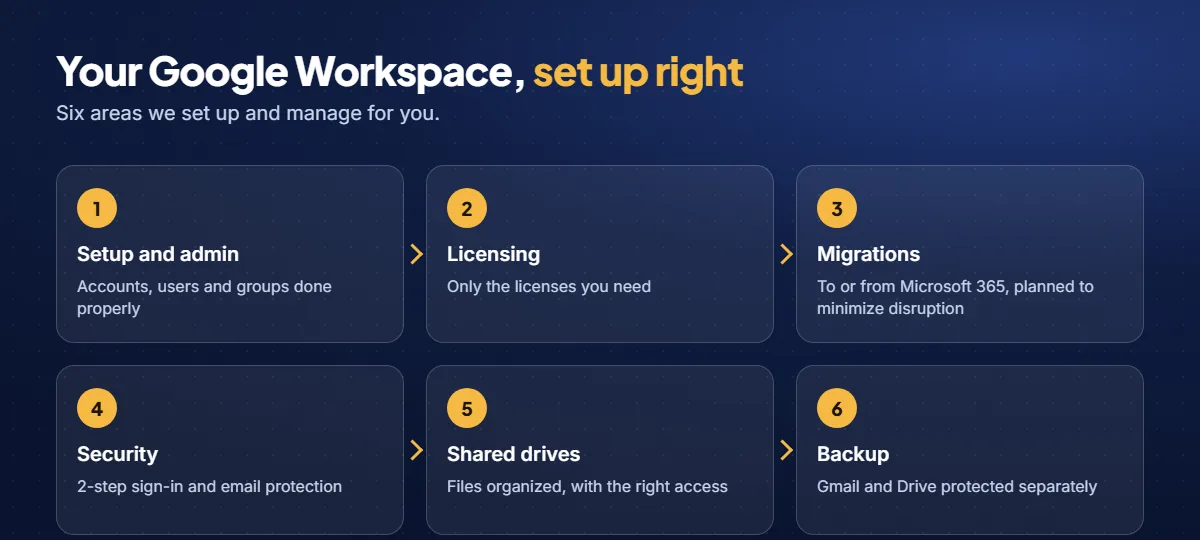
Setup and day-to-day administration
A clean setup saves hours later. We handle:
- New Google Workspace accounts for your domain, with email routing set up correctly from day one.
- Users, groups and shared mailboxes, including onboarding a new hire and shutting access off properly when someone leaves.
- Shared drives and permissions that match who should see what, so files are easy to find and don’t wander.
- Ongoing administration when something needs changing, fixing or explaining.
Licenses that fit the way you work
Google offers several Workspace editions, including Business Starter, Business Standard and Business Plus, plus add-ons. The right mix depends on how much storage, meeting and security control your team needs. A license review looks at every seat you pay for: who needs what, whether anyone who has left is still licensed, and whether you are missing a feature that a different edition includes. We can support the licenses you already have, or work with you to get the licensing you need.
Migrations, in either direction
Moving email and files is where many businesses get burned: lost messages, broken calendars, phones that stop syncing and a very long Monday. A good migration is mostly planning. We move businesses:
- From Microsoft 365 to Google Workspace.
- From Google Workspace to Microsoft 365, if that turns out to be the better fit. See our Microsoft 365 consulting.
- Off GoDaddy-hosted email directly onto Google Workspace, into an account your business fully controls.
Each migration starts with an inventory of mailboxes, calendars and files, followed by a written plan and schedule. Cutovers are planned to minimize disruption, typically in the evening or over a weekend, with follow-up help so phones and email clients work for everyone.
Security that goes beyond the defaults
Google Workspace is only as secure as its settings. We configure it for real-world attacks and add protection where it matters most:
- 2-step verification for every user, with sign-in methods your team will actually use.
- SOHO Email Security, an add-on that screens incoming email for phishing and impersonation before it reaches an inbox.
- SOHO Account Monitoring, an add-on that watches account activity and alerts us to suspicious sign-ins and behavior.
- Sharing controls, so sensitive files aren’t shared with the whole internet by accident.
- Email authentication (SPF, DKIM and DMARC), which makes it harder to impersonate your domain. Our free Email Security Checker shows where yours stands.
- Admin account hygiene, with separate admin accounts and no shared passwords.
Shared drives and sharing done right
Shared drives can replace an old file server and a pile of email attachments. The key is structure. We help you decide where company files belong, who should have access and how teams share work, then move your existing files into that structure.
A separate backup of Gmail and Drive
Google keeps its own services running, but that is not the same as having a backup of your data. A deleted folder, a departing employee or a hijacked account can be difficult or impossible to undo. SOHO SaaS Backup keeps a separate copy of your Gmail, Drive and shared drives so you can recover what was lost. See our backup and disaster recovery service for the bigger picture.
How it works
- Discovery call. A short conversation about your business, your team and what you are trying to fix or move.
- Assessment and plan. We look at your current setup and tell you in plain English what we would change.
- A written quote for projects. Migrations and setup projects are quoted in writing before any work starts.
- Ongoing support. Google Workspace administration is part of our Business and Premium managed IT plans, and on-demand help is available at published hourly rates.
We are based in Sachse and support businesses across Dallas and the northern suburbs. Most work is done remotely, and we come to your business when hands-on work is needed. Visits to our Sachse office are by appointment: call (469) 212-0545 or email support@sohologics.com first.
Google Workspace help for Sachse, Wylie and Murphy businesses
We set up, migrate and manage Google Workspace for small businesses in Sachse, Wylie and Murphy, and across Dallas and the northern suburbs. We are a member of the Wylie Area Chamber of Commerce.
Frequently asked questions
Can you migrate us from Microsoft 365 to Google Workspace, or the other way around?
Yes, in either direction. We inventory mailboxes, calendars and files, write a plan and schedule, and handle the cutover so your team keeps working. We also move businesses off GoDaddy-hosted email directly onto Google Workspace.
Do we have to buy our Google Workspace licenses through you?
No. We can support the licenses you already have, or work with you to get the licensing you need.
Is Google Workspace already backed up?
Google keeps its own infrastructure running, but that is not a backup of your data. A separate backup lets you recover from deletions, departing employees and compromised accounts.
How do I secure Google Workspace for a small business?
Start with 2-step verification on every account, separate admin accounts from everyday ones, review sharing settings, filter email for phishing and add a separate backup. Our MFA guide explains the first step in plain English.
How do you protect our email during a migration?
We plan migrations to preserve your existing mail and minimize disruption. Before starting, we confirm which data the source and migration tools can transfer, explain any limitations, and back up or export data where appropriate. We pre-copy supported data, schedule the cutover, and verify the results with you.
Our email came with our website or domain, such as GoDaddy. Is that a problem?
Not necessarily, but it can limit your control, your admin access and your options. We can move you directly onto Google Workspace, into an account your business owns outright, with a migration plan that preserves your existing mail and minimizes disruption.
Which Google Workspace edition do we need?
It depends on your team. Business Starter, Business Standard and Business Plus differ in storage, meeting features and security and management controls. A license review will tell you what fits, and we can support the licenses you already have or work with you to get the ones you need.
What does a Google Workspace consultant do?
A Google Workspace consultant sets up and manages your account: email, user accounts, licenses, security settings and file storage. That includes migrations, cleaning up old accounts, turning on protections like 2-step verification and checking that you are not paying for licenses you do not need. Our Google Workspace guide shows the settings most businesses miss.
Can you help if we use Microsoft 365 instead?
Yes. We administer and secure Microsoft 365, and we can move you between Microsoft 365 and Google Workspace if that is a better fit. See our Microsoft 365 consulting.
How much does Google Workspace consulting cost?
Google sets the license prices. Our fee covers the work. Google Workspace administration is part of our Business and Premium managed IT plans, and migrations and projects are quoted in writing before they start. A free discovery call shows what you have today and what would change.
Do you support Google Workspace in Plano, Frisco and Sachse?
Yes. We are based in Sachse and support Google Workspace for small businesses across Dallas and the northern suburbs, including Plano, Frisco, Richardson, Wylie and Garland. Most administration is remote, with on-site visits when needed.
Need help with Google Workspace? Start with a free, no-obligation conversation.
