
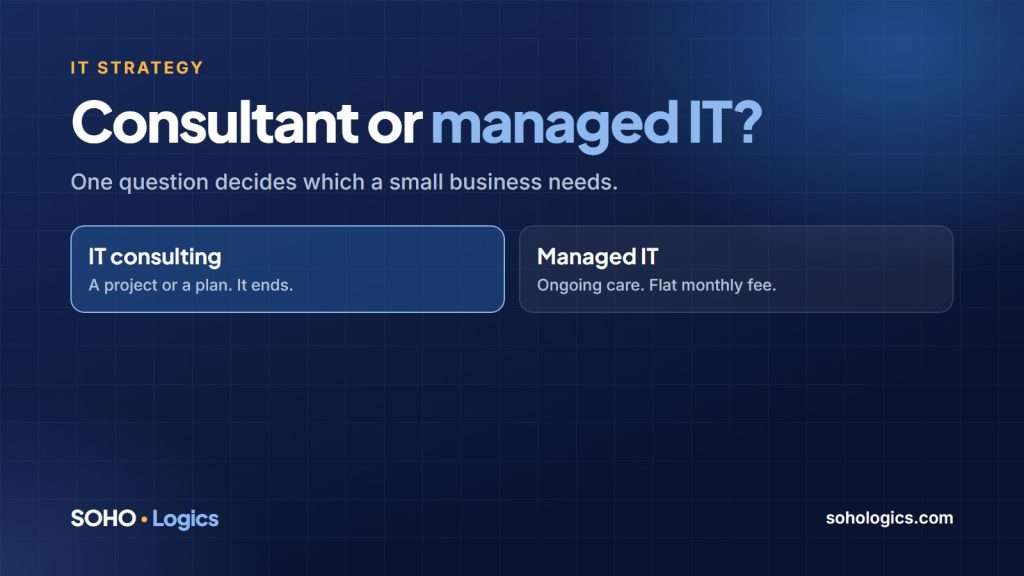
If your business needs help with IT, you will hear two phrases: IT consulting and managed IT. They sound alike and they are not. Consulting is help with a decision or a project, and it ends. Managed IT is ongoing care, and it does not. The right one depends on a single question: is your problem a project, or is it ongoing?
What IT consulting is
IT consulting is expert advice and planned work with a start and an end. You pay for the work, not for ongoing care. Typical examples for a small business:
- Deciding whether to move to Microsoft 365 or Google Workspace, and planning the move.
- Reviewing your network, Wi-Fi or security setup and getting a written list of what to fix.
- Writing a backup and recovery plan.
- Planning an office move, a new location or a major equipment refresh.
- Acting as a part-time technology adviser (sometimes called a virtual CIO) who helps you budget and plan for the year ahead.
The result is a plan, a recommendation or finished work. When it is done, you own it. You can carry it out yourself, hand it to someone else or ask for more help.
What managed IT is
Managed IT means someone looks after your technology every month, for a flat fee. That usually covers:
- Help when something breaks, and someone to call.
- Updates and patches applied on schedule.
- Backups that are monitored, with restores tested.
- Security tools, email protection and account management.
- Planning, so equipment gets replaced before it fails.
The point of managed IT is that problems are prevented, or caught early, instead of discovered on a bad Monday morning. A flat monthly fee also means a surprise problem does not mean a surprise bill. See managed IT services in Dallas for how we do it, or what managed IT costs.
The one question that decides it
Is your problem a project, or is it ongoing?
Consulting is usually the right fit if…
- You have a defined project or a decision to make.
- Your day-to-day IT mostly works, or someone already looks after it.
- You want an independent second opinion before you spend money.
- You want a plan to carry out with your own staff or another provider.
Managed IT is usually the right fit if…
- You worry about IT every month, or nobody really owns it.
- You depend on one employee, a relative or a friend who “does the computers”.
- You have no backup that someone has tested by restoring it.
- You get hit with surprise IT bills, or you are on call for your own network on weekends.
- Your business would stop if email or the network went down.
You do not always have to pick one
Many small businesses start with a consulting project, such as a security review or a network plan, and then move to managed IT once they see how much needs ongoing attention. Others do the reverse: they are on managed IT and bring in consulting for a big project. A good provider will tell you honestly which one you need now, and will not sell you a monthly plan for a one-time problem.
Two red flags when you hire IT help
- A consultant who never finishes. A consulting engagement should have a defined scope and an end date. If it feels open-ended, ask what “done” looks like in writing.
- A managed provider who cannot say what is included. Ask for a written list of what the monthly fee covers, what costs extra and how quickly they respond. If they cannot put it on paper, keep looking.
Questions to ask either one
- Who exactly will do the work, and who do I call?
- What do I own at the end, such as passwords, documentation and admin accounts?
- What happens if we part ways? Can I take everything with me?
- Can you show me a recent example of what a written plan or report looks like?
Which does a Dallas small business need?
For a business of 3 to 50 people, the pattern is common: if technology is a side job for someone who has other work to do, managed IT usually pays for itself in avoided downtime. If you have a specific project in front of you, consulting is cheaper and faster. See our pages on IT consulting and vCIO services and managed IT services for the detail on each.
Frequently asked questions
Is IT consulting cheaper than managed IT?
For a single project, usually yes, because you pay for the work and then stop. For ongoing support, managed IT is usually cheaper than paying hourly every time something breaks.
Can one company do both?
Yes, and many do. Ask them to keep the two separate on paper, so you know what a project costs and what the monthly fee covers.
What is a virtual CIO?
A virtual CIO (vCIO) is a part-time technology adviser who helps you plan and budget for IT, the way a full-time executive would at a larger company. It is a kind of consulting, often done monthly or quarterly.
How do I know if my current IT setup is enough?
If you have no tested backup, no one clearly in charge, and no written list of your accounts and equipment, it probably is not. A short review will tell you.
Not sure whether you need consulting, managed IT or both? Book a free discovery call. I will tell you plainly which one fits, and whether you need either yet.
Book a free assessment or call (469) 212-0545.

Leave a Reply