
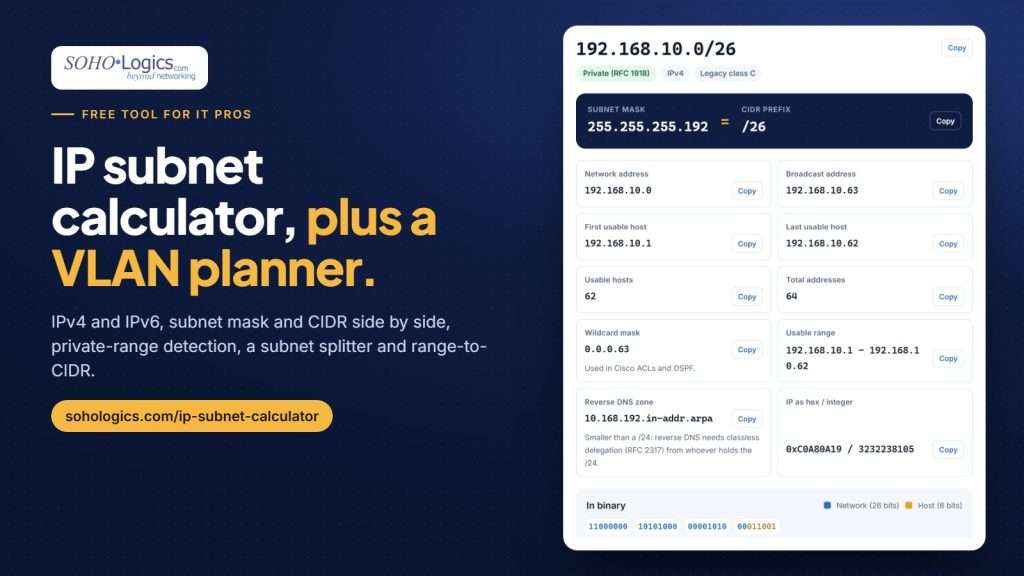
Every network project starts with the same math. How big should this subnet be? What’s the gateway? Will 192.168.10.0/26 hold the cameras with room to spare? Most online subnet calculators answer one question at a time, so you end up juggling a calculator, a spreadsheet and a notepad.
We wanted one page that handles the whole job, so we built a free IP Subnet Calculator with a VLAN planner built in. It runs in your browser, it’s free and there’s no sign-up.
Open it in another tab and follow along.
What’s inside
The calculator has five tabs:
- Calculator. Type 10.0.0.5/22, 10.0.0.5 255.255.252.0 or 2001:db8::/48. You get the network, broadcast, usable range, host count, wildcard mask and reverse-DNS zone, with the subnet mask and CIDR prefix shown side by side. Drag the slider to resize the network and watch everything update.
- Split. Divide a network into equal subnets by count, hosts per subnet or prefix length. Download the list as a CSV.
- VLAN planner. List your networks and device counts; it plans the subnets for you (more on that below).
- Range → CIDR. Turn 10.0.0.5 through 10.0.0.77 into the eight CIDR blocks that cover it exactly, ready for a firewall rule or allow list.
- IP in subnet? A quick yes or no, with the range, and a heads-up if the address is the network or broadcast address.
Every result shows the address type: private, public, carrier-grade NAT, link-local and so on. If a laptop shows a 169.254 address, the calculator tells you it couldn’t reach DHCP. If a router’s WAN address is in 100.64.0.0/10, it tells you you’re behind carrier-grade NAT, which is why port forwarding isn’t working.
The VLAN planner
This is the part we use most. Give it one address block and a list of networks:
| VLAN | Name | Devices |
|---|---|---|
| 10 | Staff | 40 |
| 20 | Guest Wi-Fi | 30 |
| 30 | Phones (VoIP) | 20 |
| 40 | Cameras | 16 |
| 50 | Printers and servers | 10 |
| 99 | Network management | 8 |
From 10.20.0.0/22, with 25% room to grow, it plans Staff as 10.20.0.0/26 (gateway 10.20.0.1, 61 usable addresses after the gateway), Guest Wi-Fi as 10.20.0.64/26, Phones and Cameras as /27s and the last two as /28s. That uses 224 addresses and leaves 800 free for future networks. Every row includes the mask, gateway, DHCP range and broadcast address.
It places the largest networks first so every subnet lands on a clean boundary with no wasted gaps. If your networks won’t fit, it tells you the block size you need instead.
Click Print / save as PDF or Download CSV and you’ve got the start of your network documentation.
A few habits worth keeping
The planner also flags some common mistakes:
- Avoid 192.168.0.x and 192.168.1.x for an office. Most home routers use them, so staff connecting over VPN from home end up with address conflicts. A block in 10.x is safer.
- Leave room to grow. Re-addressing a full subnet later is far more work than sizing it right now.
- Separate guests, cameras and phones from staff. VLANs plus firewall rules between them keep a compromised camera or a guest’s laptop away from your files.
- For IPv6, give every LAN a /64. Providers usually hand businesses a /48 or a /56, which holds plenty of /64s. The calculator shows how many fit.
Who it’s for
Sysadmins, MSP techs and anyone studying for a networking certification will find the calculator, splitter and range converter handy every day. If you run a small business and your office is one flat network where computers, cameras, phones and guests all share the same subnet, the VLAN planner shows what a better layout looks like. Our post on planning the network before the walls close covers the rest of an office build-out.
Planning an office network or cleaning up a flat one? We can help.
