
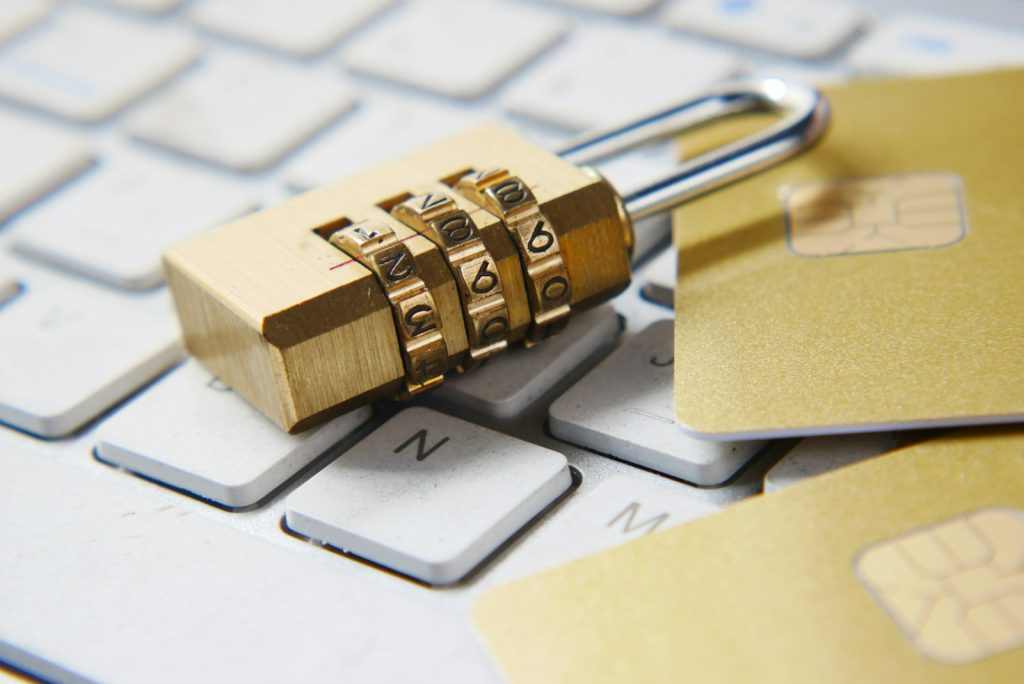
Cybersecurity Awareness Month comes every October, but any month is a good time to do something most small businesses put off: take an honest look at the basics.
The good news is that you don’t need a security team or a big budget to be a much harder target. Most successful attacks on small businesses exploit a handful of predictable gaps, like a missing sign-in check, an out-of-date computer or an employee who has never seen a convincing phishing email. Close those gaps and attackers usually move on to someone easier.
This small business cybersecurity checklist covers the 12 things we check first when we review a new client’s environment. Grab a coffee, go through it honestly, and count how many you can confidently answer “yes.”
Accounts and access
1. Multi-factor authentication is on for every account that matters
If you only do one thing on this list, do this one. Multi-factor authentication (MFA) means a stolen password alone isn’t enough to get in. The sign-in also needs a code or approval from the user’s phone.
Check that MFA is turned on for email, remote access, banking, payroll and accounting systems, and any admin account. “Most people have it” isn’t the same as “everyone has it.” Attackers look for the one account that was skipped.
2. Everyone uses a password manager, and nobody reuses passwords
When a website somewhere gets breached, attackers try those email and password combinations everywhere else. A business password manager lets each person use long, unique passwords without memorizing them, and it gives you a secure way to share logins when you really need to.
3. Admin rights are the exception, not the rule
Day-to-day user accounts shouldn’t have administrator rights on their computers. If someone clicks a malicious link while logged in as an admin, the malware gets admin rights too. Keep admin access to a few named accounts that are only used for admin work.
4. Former employees can’t get in
Do you have a written offboarding checklist? When someone leaves, their email, Microsoft 365, line-of-business apps, VPN, building access and any shared passwords they knew should all be handled the same day. Forgotten accounts are a quiet, common way in.
Devices
5. Every device gets its updates, and nothing is past end of support
Most attacks use vulnerabilities that already have a fix available. Make sure Windows, macOS and third-party applications like browsers, PDF readers and Zoom update automatically, and that someone confirms they actually installed.
Don’t forget the equipment people rarely think about, including firewalls, routers, Wi-Fi access points and network storage devices. Also check for anything past its end of support. Microsoft ended support for Windows 10 in October 2025, so unless you’re paying for Extended Security Updates, those computers are no longer getting security fixes.
6. Computers have protection that looks for behavior, not just viruses
Traditional antivirus looks for known threats. Modern attacks often use brand-new malware or legitimate tools that antivirus won’t flag. Endpoint detection and response (EDR) watches for suspicious behavior, such as a program suddenly encrypting hundreds of files, and can stop it and isolate the computer.
7. Laptops are encrypted
Laptops get left in cars, restaurants and airports. With full-disk encryption (BitLocker on Windows, FileVault on Mac), a lost laptop is an equipment expense. Without it, it may be a data breach. Encryption is built into modern computers; it just has to be turned on and managed.

Email and people
8. Email is filtered, and your domain can’t easily be spoofed
Email is where most attacks start. Business email should pass through security filtering that catches malicious links, attachments and impersonation attempts.
Also check your domain’s SPF, DKIM and DMARC records. These tell other mail servers which systems may send email as your company, which makes it much harder for criminals to send convincing fake messages from your domain to your clients and vendors. Not sure where yours stand? Run your domain through our free email security checker for a plain-English grade in seconds.
9. Your team has seen a phishing email before a real one arrives
Technology catches most phishing, but not all of it. Short, regular security awareness training and simulated phishing emails teach people what to look for and, just as important, make it easy and blame-free to report something suspicious. The goal isn’t to catch people out. It’s to build a habit of pausing before clicking.
10. Money never moves on the strength of an email alone
Business email compromise is one of the costliest scams small businesses face. An attacker takes over or imitates a mailbox, then asks for an urgent wire transfer, gift cards, or a change to a vendor’s banking details or an employee’s direct deposit.
The fix is a simple rule: any request to send money or change payment details gets verified by phone, using a number you already have on file, never the one in the email. Put it in writing and make sure everyone who touches payments knows it.
Data and recovery
11. Backups are tested, off-site and out of an attacker’s reach
Ransomware attackers go after backups first. Check that you have at least one copy of your data off-site and one that is immutable (it can’t be altered or deleted for a set period), and that someone has actually test-restored from it recently. Don’t forget cloud data. Microsoft 365 and Google Workspace keep their services running, but their built-in retention isn’t a true backup.
Our post Your Backups Aren’t a Plan walks through how to build a recovery strategy you can trust.
12. You know who to call, and what your insurance requires
When something goes wrong, the first hour matters. Write down a one-page incident plan: who to call (your IT provider, your bank, your cyber insurance carrier), how to reach them if email is down, and what not to do, such as wiping a computer before it’s been looked at.
If you have cyber insurance, read the security requirements in your policy. Many carriers require specific controls, like MFA and tested backups, and a claim can be complicated if those controls weren’t actually in place.
How did you score?
- 11–12 “yes” answers: You’re ahead of most small businesses. Keep reviewing these every year, and consider a professional assessment to find the gaps a checklist can’t.
- 7–10: You have a solid foundation and a few real gaps. Start with any “no” answers on MFA, backups and payment verification. They carry the most risk.
- 6 or fewer: You’re not alone, and the fixes are very achievable. Prioritize items 1, 10 and 11 this month, then work through the rest.
For a deeper look at how these protections fit together, read Ransomware and the Small Business: 7 Layers of Protection That Actually Work. If Microsoft 365 is at the center of your business, Getting More From Microsoft 365 covers the security settings most businesses miss.
Want a second set of eyes?
A checklist tells you what to look for. A review tells you what’s actually there. As part of our free IT assessment, we’ll check these items in your environment, explain what we find in plain English, and give you a prioritized list of fixes. Learn more about our cybersecurity services for Dallas businesses.
Find out where your business stands. Book a free, no-pressure IT and security assessment.
